

iPart360 Suite 2027
Seven apps on one part identity: Drawing Register, Lifecycle Viewer, iPart360 Viewer, PPAP, BuildBook, DraftMarker and Change Control.
Open the Suite map →
Your suppliers, fabricators and customers have never had a login. iPart360 puts the right drawing, model, BOM and revision in front of each of them — on their phone, in their language, the moment it changes.
See it. Mark it up. Approve it. Trust it.
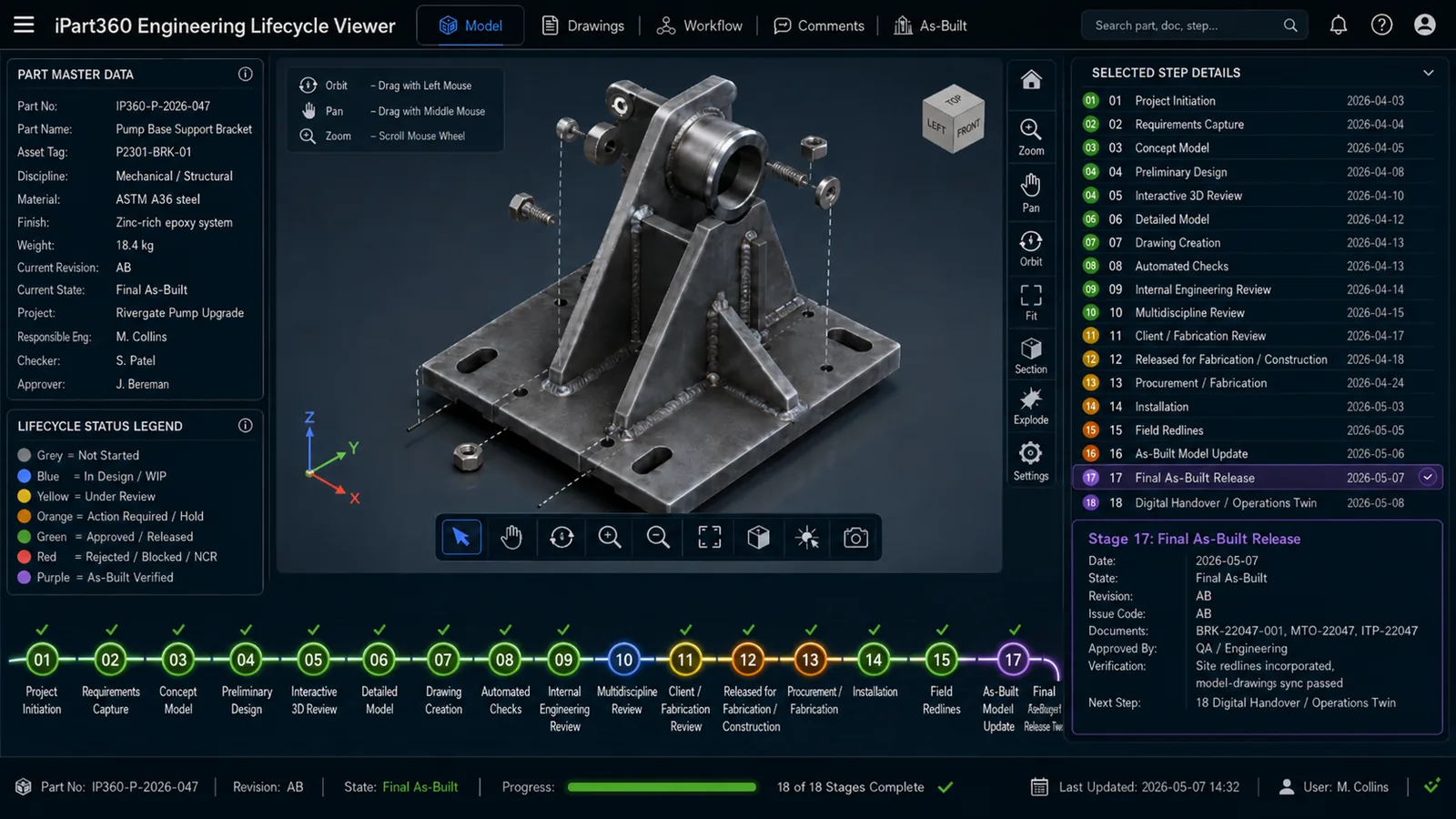






Drawings on one PC, the BOM in a spreadsheet, the PO in someone's inbox.
No single controlled register — the shop builds from the copy it was last emailed.
Instructions and questions stall between engineer, supplier and operator who don't share a language.
A supplier's question at 6 pm queues until somebody is back at a desk.
Approvals, PPAP packs and change notices bounce around as attachments.
Nobody can say, right now, which stage of its life a part is actually in.
None of these is caused by a lack of information. They're caused by information living in six places, on one device, in one language, during office hours.
iPart360 is the hub of the wheel — every department, supplier and customer connects to the same part record. There is one copy of the truth, it is available around the clock, and each person's view is scoped by their rights.
Click any app to light up what it connects to. From there you can jump to its section, open the live app where there is one, or ask us about it. Open the map on its own page.
Every app plugs into the iPart360 core and shares a single part identity across drawings, 3D models, bills of material and quality records. Start with one, plug in the next when you need it — nothing to migrate, nothing to re-key.
 iPart360 coreOne shared part identity across every app.Platform
Lifecycle ViewerLive 3D part with an 18-stage lifecycle.Flagship
PPAPAIAG PPAP / FAI approval packs.Live
BuildBookVisual build manuals & vBOM flip-books.In development
Change ControlStandalone ECR → ECO → ECN change-control app.Standalone app
DraftMarkerFast in-browser PDF & drawing markup.Live
Drawing RegisterControlled register of drawings, revisions & part numbers.Live · Beta
iPart360 ViewerOffline 3D CAD viewer & embeddable plugin.Core engine
iPart360 2027 Suite
iPart360 coreOne shared part identity across every app.Platform
Lifecycle ViewerLive 3D part with an 18-stage lifecycle.Flagship
PPAPAIAG PPAP / FAI approval packs.Live
BuildBookVisual build manuals & vBOM flip-books.In development
Change ControlStandalone ECR → ECO → ECN change-control app.Standalone app
DraftMarkerFast in-browser PDF & drawing markup.Live
Drawing RegisterControlled register of drawings, revisions & part numbers.Live · Beta
iPart360 ViewerOffline 3D CAD viewer & embeddable plugin.Core engine
iPart360 2027 Suite
iPart360 is the platform. iPartAEC brings the same single record to Revit projects, and iPartPDX is the free app that puts a supplier's work on their phone. Each is part of the 2027 Suite, and each one works on its own.
Seven apps on one part identity: Drawing Register, Lifecycle Viewer, iPart360 Viewer, PPAP, BuildBook, DraftMarker and Change Control.
Open the Suite map →

From Revit design to approval to handover. A Revit plug-in, a web interface and a smart-device app, carrying project documents as one connected record.
See iPartAEC →
The app for suppliers and contractors. Download it once and every company that uses iPart360 can send you its work, on iPhone and Android.
See iPartPDX →All three are under construction and launching early 2027. Some apps are already in daily use: ask us what is ready now.
iPart360 isn't a competitor to your engineering or production ERP — it's the layer that carries what your ERP already knows out to the people who never had a login: your suppliers. Local or overseas, on the shop floor or in another country entirely, in their own language.
No extra ERP seats to buy. No supplier onboarding onto systems they'll never fully use. Your source of truth stays exactly where it is — iPart360 just makes it reachable.

 EnglishEnglish
 ไทยThai
 العربيةArabic
 中文 (简体)Simplified Chinese
 EspañolSpanish
 ΕλληνικάGreek
 FrançaisFrench
 Tiếng ViệtVietnamese
 한국어Korean
 РусскийRussian
 DeutschGerman
 日本語Japanese
 සිංහලSinhala
 فارسیPersian
 ItalianoItalian
 Engineer — Brisbanereads and writes in EnglishSupplier — workshopreads and writes in Vietnamese
Translated live, in both directions — every note, question, instruction and change notice. Language is a per-user setting; more on request.
Your engineering and production data stays authoritative in the systems you already run. iPart360 mirrors what's needed for procurement and manufacture — nothing more — out to the supply chain, so there's no second source of truth to reconcile.
Available in 15 languages, so an overseas supplier reads specs, revisions and procurement requirements the way your own engineers do — not through a machine-translated PDF attachment.
A supplier down the road and a supplier on the other side of the world get the same real-time part data, on a phone, tablet or computer — no VPN, no ERP client install, no waiting on a time-zone-delayed email.
Already running an ERP? Good — that's the point. iPart360 is what happens after the ERP, not instead of it.
Talk to usThe single source of truth for drawings, revisions and part numbers — deep-link focus on any part.
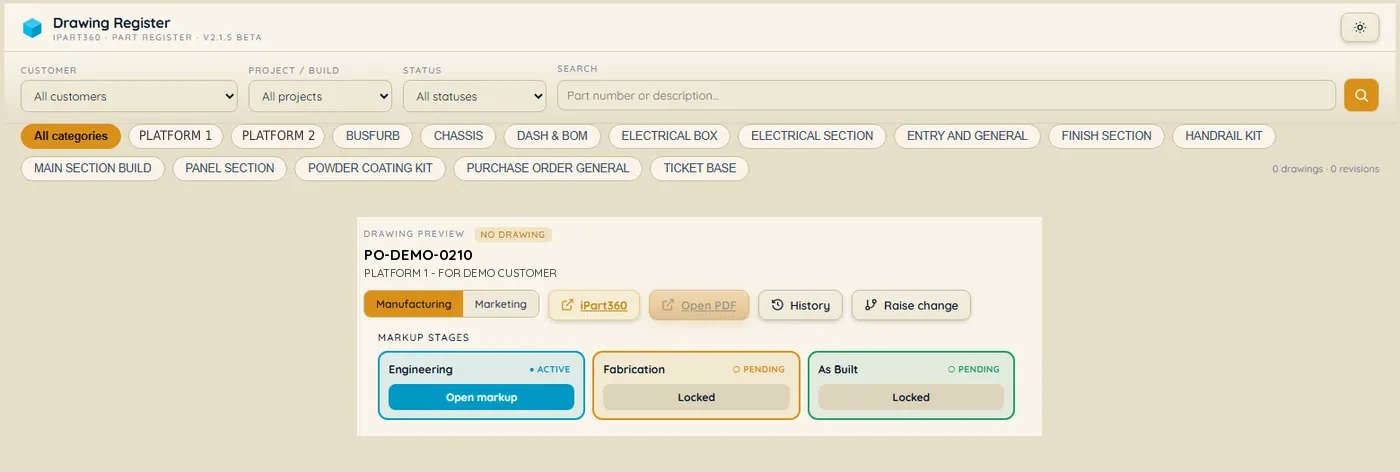
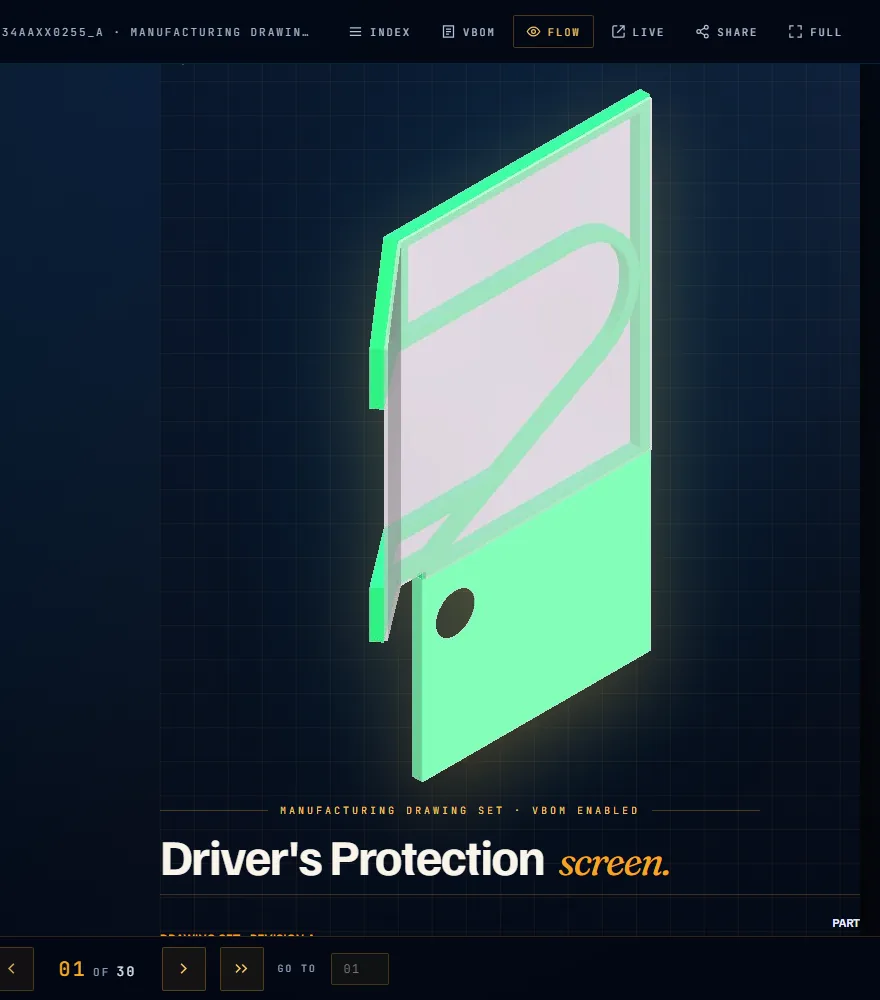
A live 3D part with an 18-stage lifecycle donut — concept all the way to as-built. The whole engineering lifecycle in one screen the ERP can't show.
One 3D CAD viewer — a standalone app and the embeddable engine every other iPart360 app loads.
A self-contained bundle exported straight from Autodesk Inventor — geometry, structure, properties and drawings in one file.
No cloud dependency to open a model. Open it on the shop floor, on a laptop in a customer's boardroom, or on a site with no signal.
Weld beads become data: each one carries its symbol, size, process and standard, projected onto the 3D model, and opens the Welding Procedure Specification it is made to — AS/NZS 1554.1, ISO 15609 or your own. The fabricator sees the WPS beside the part, in their language, on the floor.
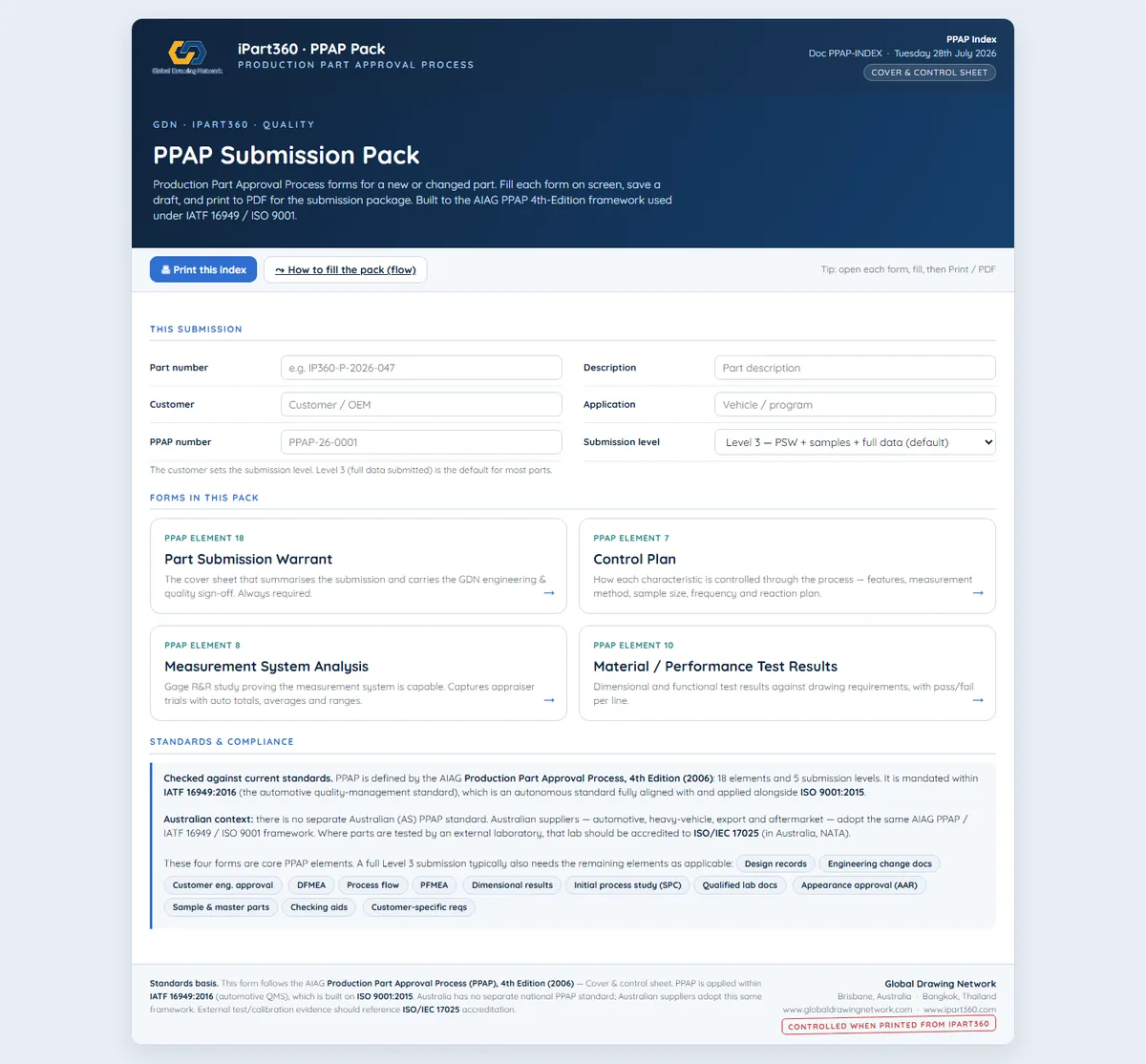
AIAG PPAP / FAI production-part-approval packs — the quality layer the ERP doesn't reach.
Visual, navigable build manuals and vBOM flip-books — the customer-facing record of a build.
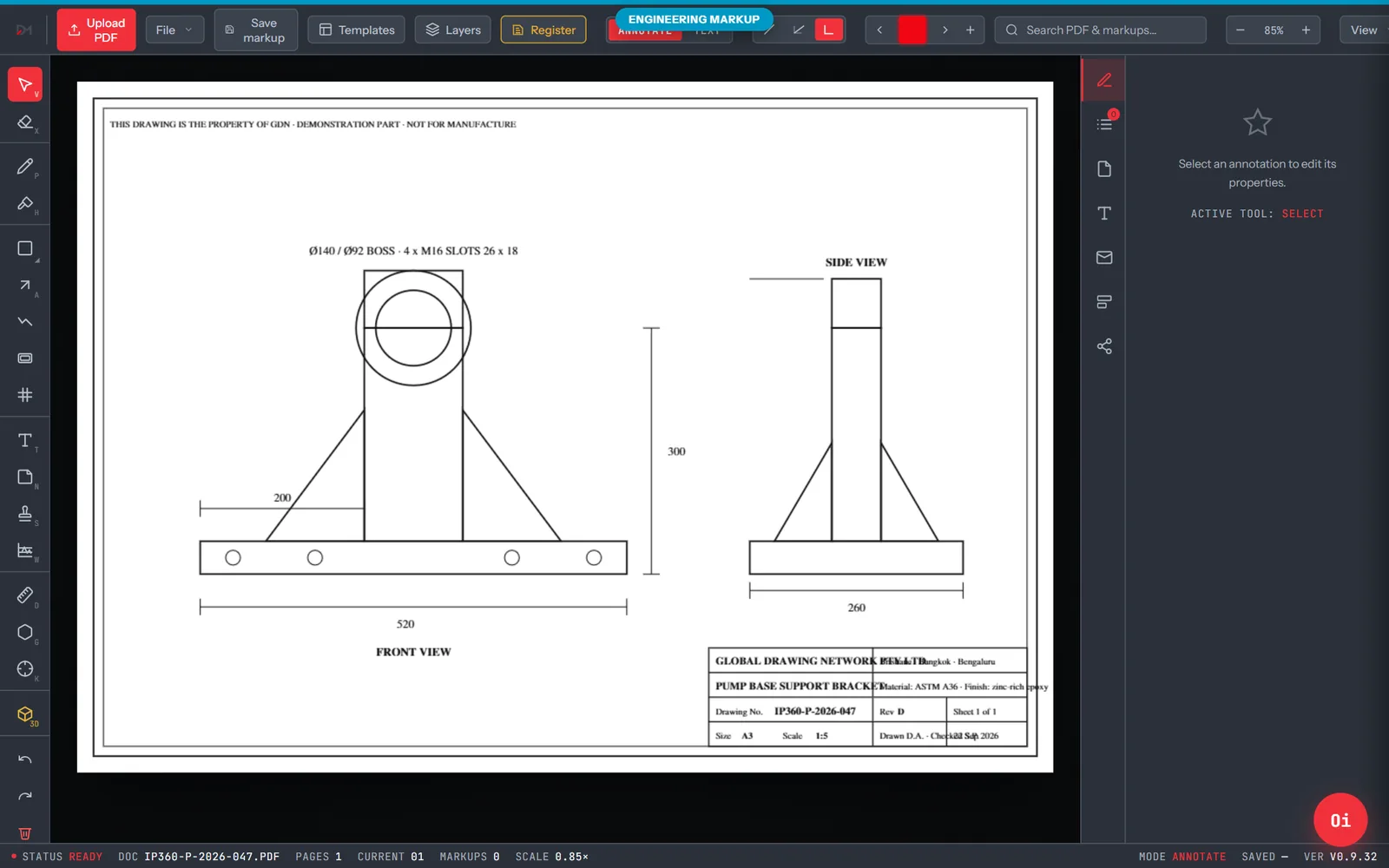
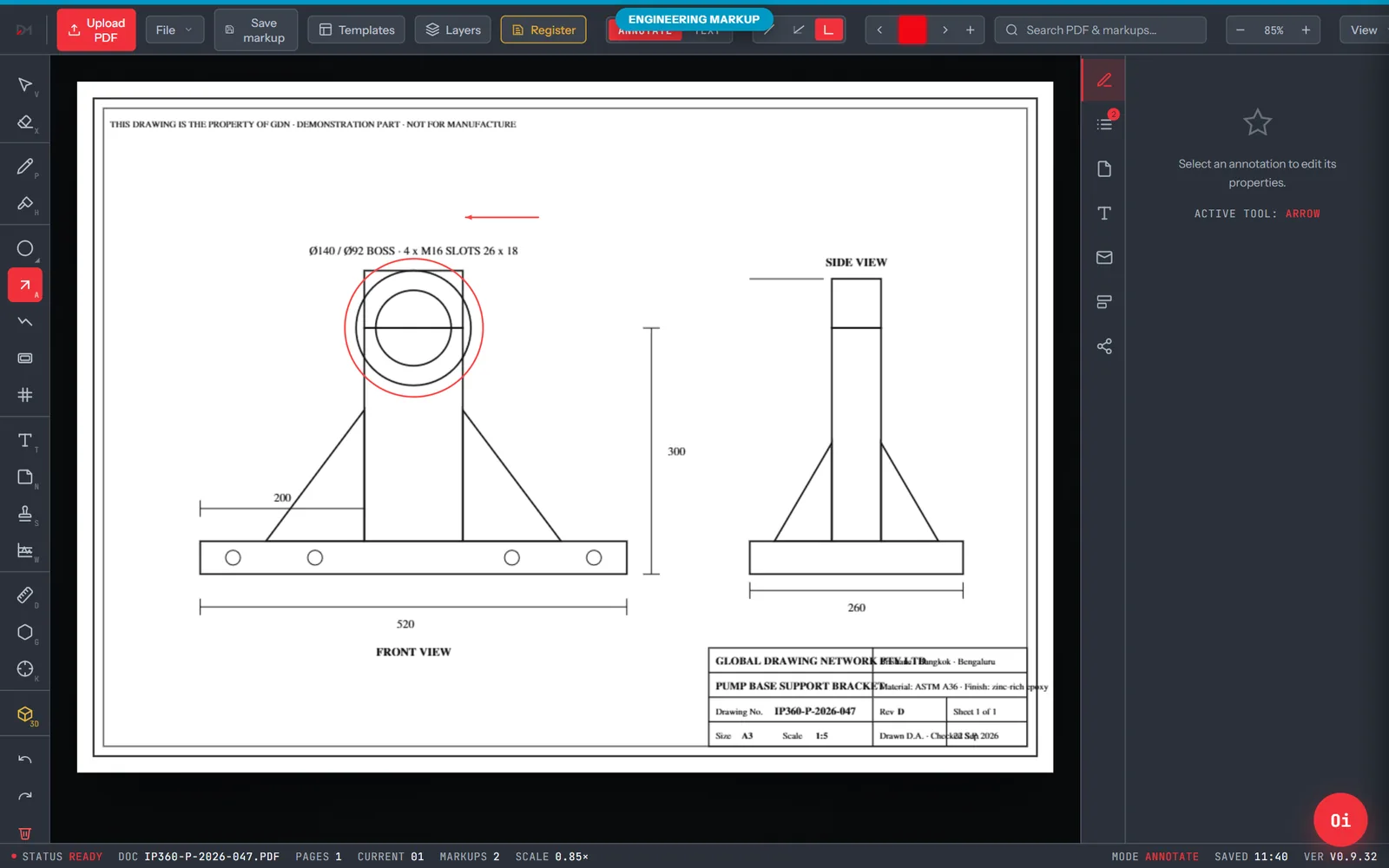
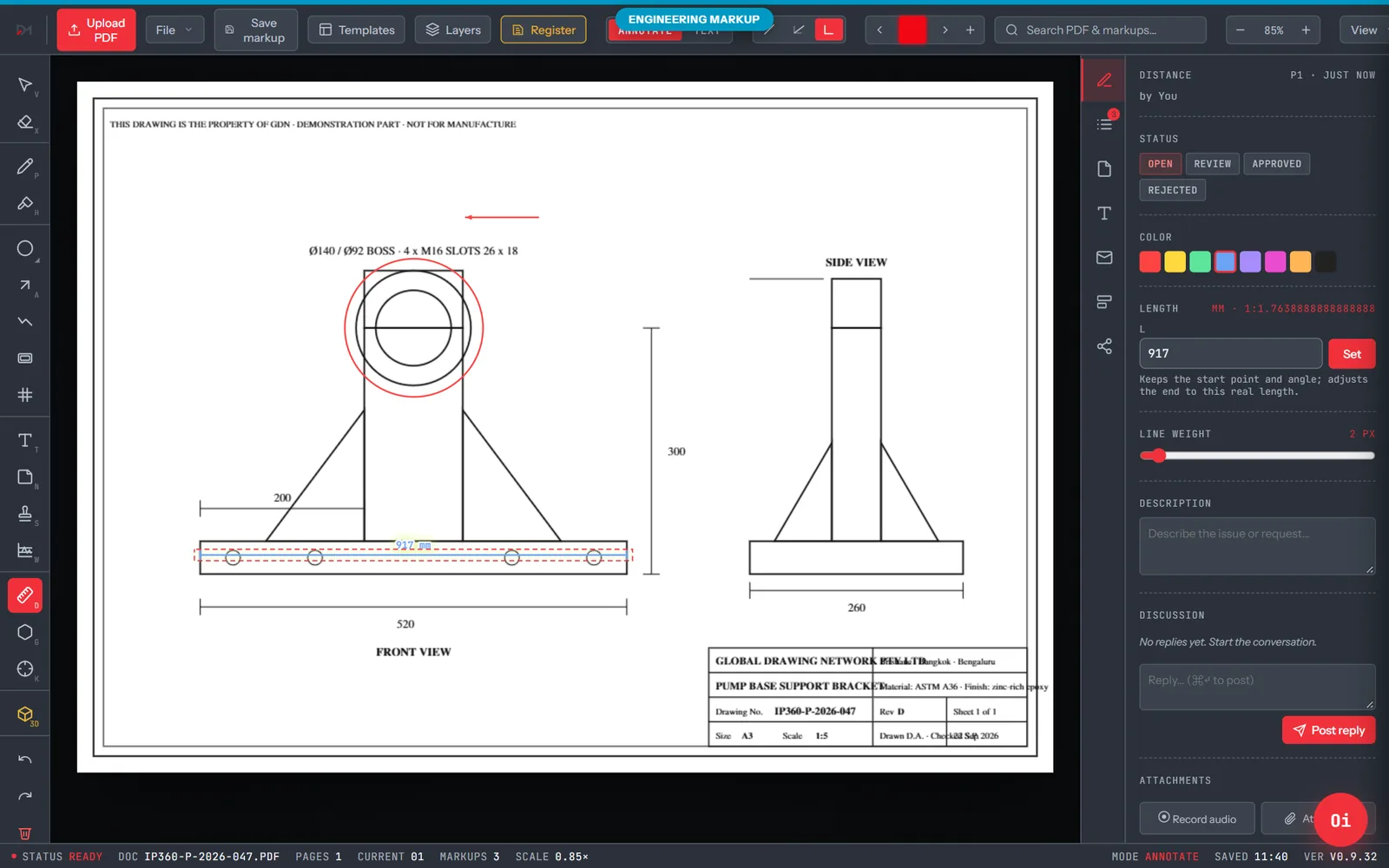
Fast in-browser PDF & drawing markup with staged review — redline anything in seconds, measure it in real millimetres, and send it on as a flattened PDF.
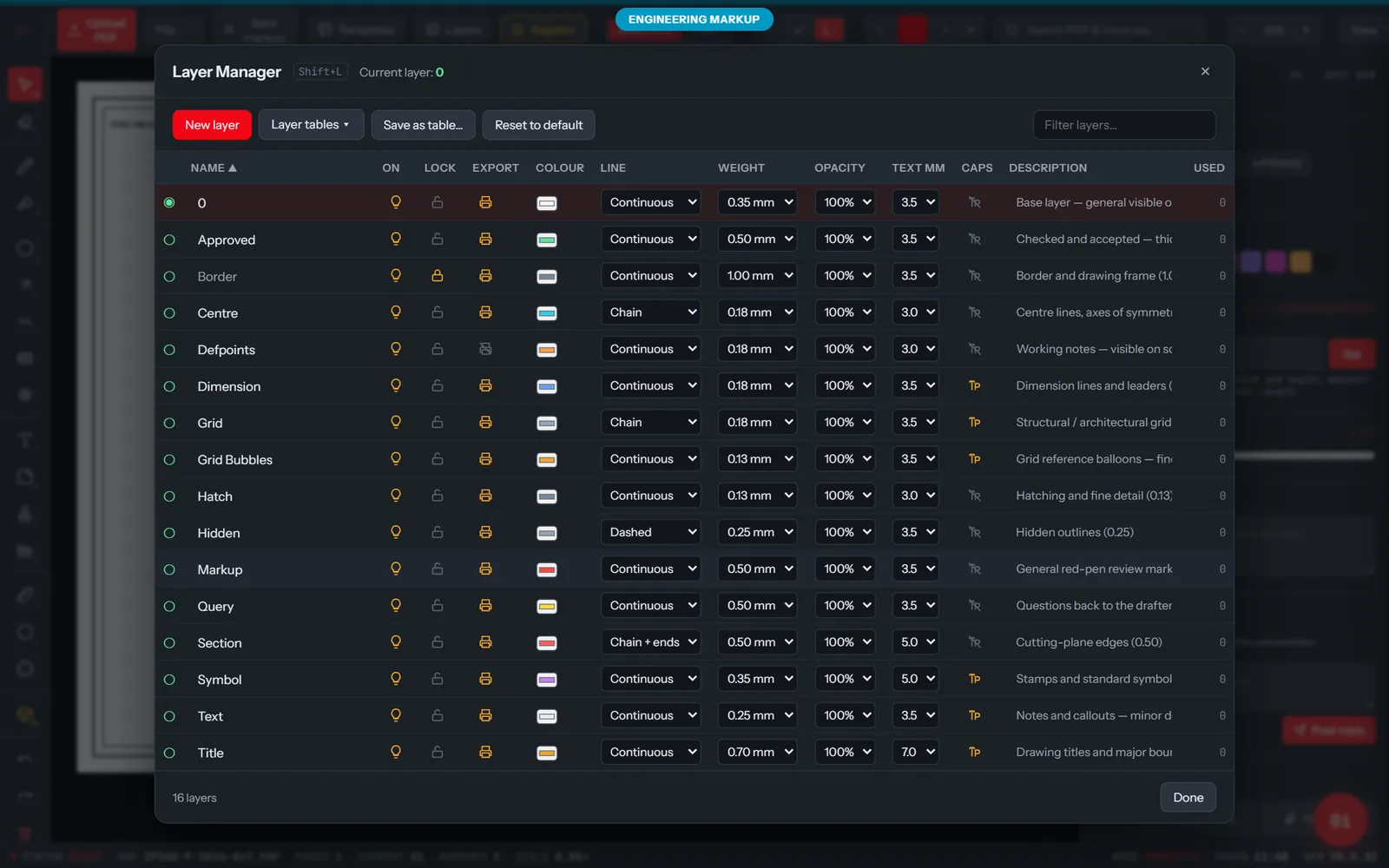
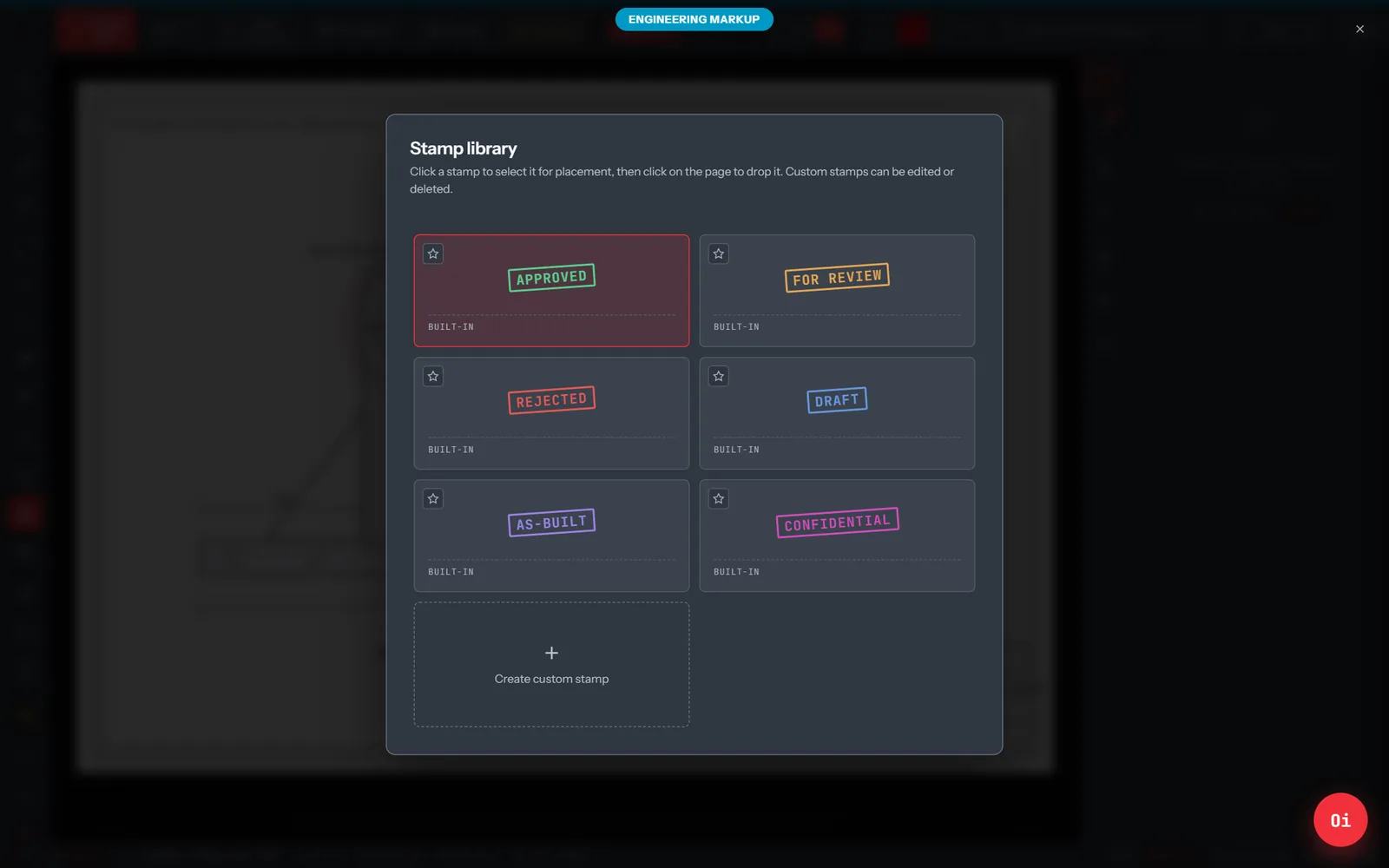
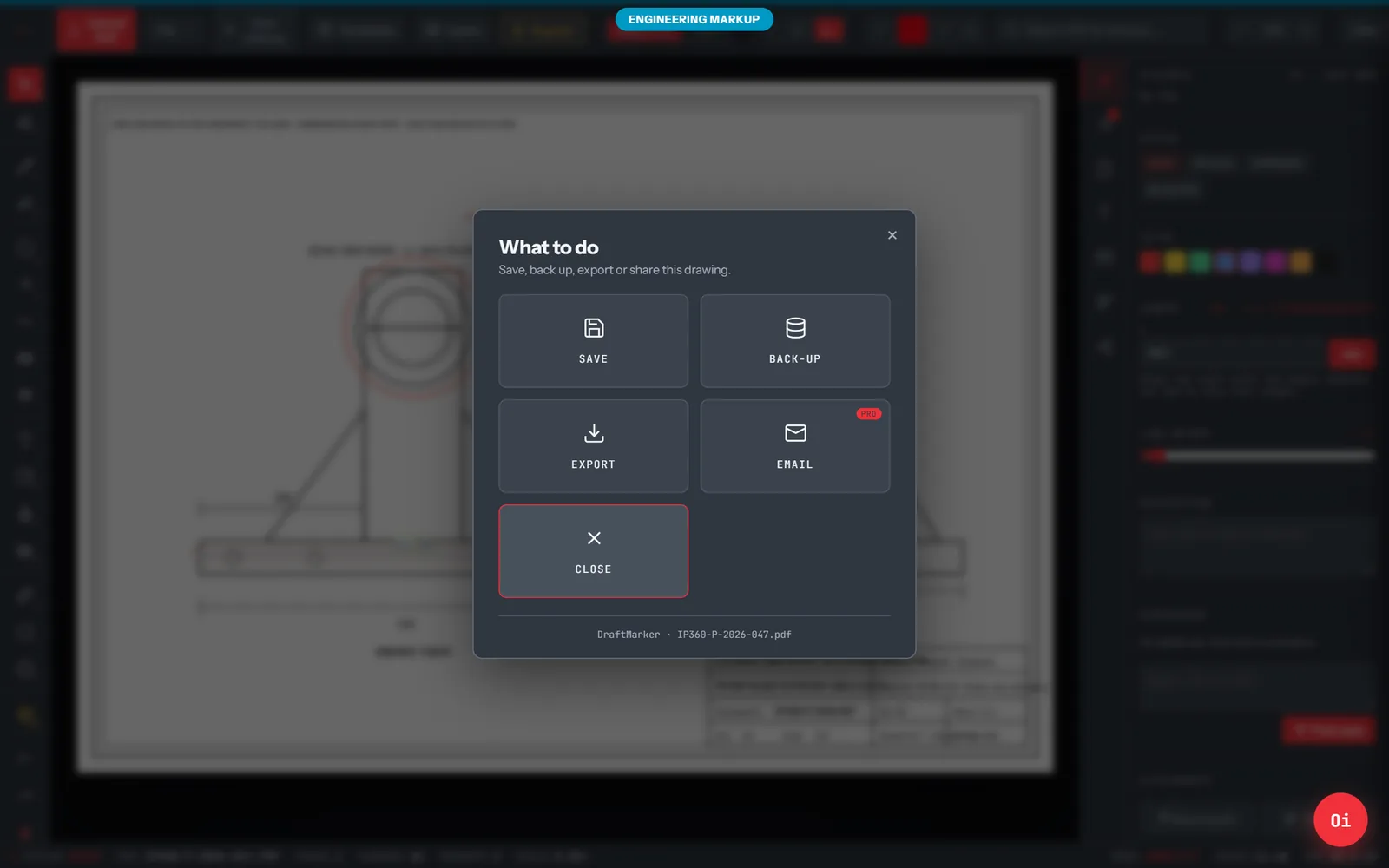
Every design change — requested, ordered, then noticed — under one controlled, reviewer-gated workflow. Raise a change straight from any drawing in the register, pre-filled with that part.
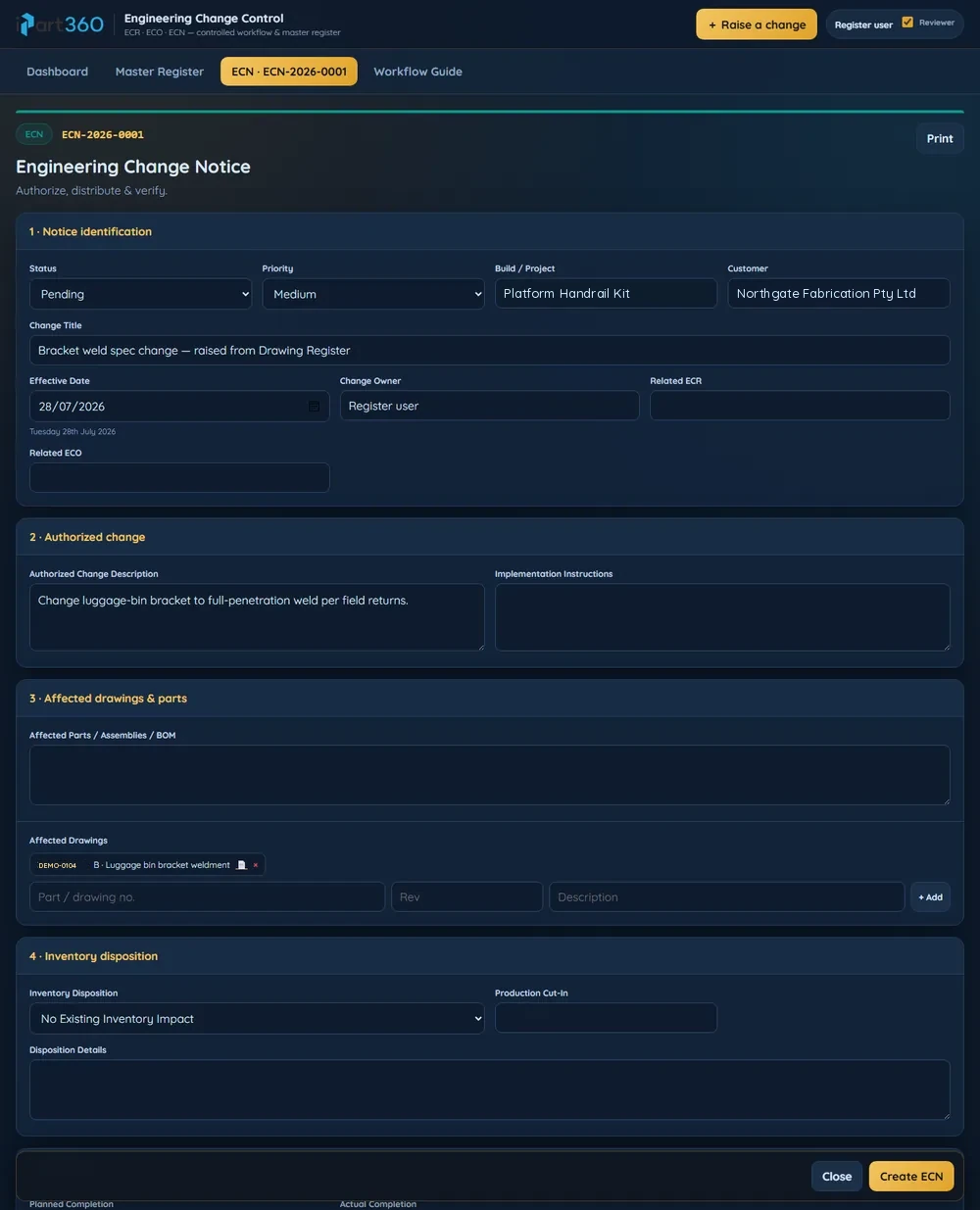
The right app serves each step — and nothing is re-keyed between them. Multilingual, role-scoped and available on every device at every step.
A single part number resolves the same part across a drawing, a 3D model, a vBOM row and a PPAP pack — so every app stays in sync without an integration project.
Most manufacturers run their engineering data on a shared drive, an ERP document module, or a full PDM/PLM platform. iPart360 sits between the two extremes: the control of a PLM, the setup time of a shared folder.
✓ included · ◐ partial or with add-ons · – not offered. Based on publicly listed features as at September 2026; capability varies by edition. Tell us if we've got yours wrong.
Each application compared with the tools it usually replaces.
Show Me is a guided walkthrough of the whole suite with real screens, real drawings and the live Viewer — the same session we'd run in your boardroom. Access is by application: tell us who you are and we'll open a viewing window for you.
[Add testimonial] Quote from the customer goes here.
[Add testimonial] Quote from the customer goes here.
[Add testimonial] Quote from the customer goes here.
[Add testimonial] Quote from the customer goes here.
Customer stories are being collected — ask us for a reference in your industry.
We know the points of friction that frustrate an engineering supply chain — the wrong revision on the floor, the PPAP pack that lives in a spreadsheet, the customer who can't open a CAD file. iPart360 exists to remove them.
Instantly available files, controlled part numbering, and a fully documented change history on every drawing.
PPAP / FAI packs, staged markup and change control live beside the model — not in a folder nobody can find.
Stakeholders view, section, explode and redline designs in the browser — without buying the application that created them.
The Viewer and its bundles need no cloud to open. The register and change control sync when you're back online.
Customers see their projects; suppliers see their parts; the shop floor sees the build. Enforced on the server, not hidden in the UI.
Export a self-contained .ipart360 bundle straight from Inventor, with structure, properties and drawings intact.
The same login scopes the screen on every device. Rights live on the server, not on the device — so a phone and a PC show the same scoped view.
| Role | Drawings | 3D model | BOM | PO / RFQ | Quality packs | Change control | Reads in |
|---|---|---|---|---|---|---|---|
| Engineering | Full | Full | Full | View | View | Full | Own language |
| Purchasing | View | View | Full | Full | View | View | Own language |
| Quality | View | View | View | — | Full | Full | Own language |
| Shop floor / fabrication | View | View | View | — | View | View | Own language |
| Supplier | View | View | View | View | Full | — | Own language |
| Customer | View | View | View | View | View | View | Own language |
A supplier sees only their own purchase orders and the drawings on them. A customer sees only their own projects — never another customer's parts or prices.
Every read, mark-up and approval is logged against the signed-in user with a timestamp — the evidence trail procurement and compliance ask for.
The matrix above is illustrative. Rights are configured per organisation, per customer and per project when we set you up.
| The job | Today | With iPart360 |
|---|---|---|
| Find the current drawing | Ask engineering, wait, hope the emailed PDF is the latest. | Search the part number — the controlled revision opens on any device. |
| Brief a supplier | Email in English; phone calls to clarify; repeat. | Post the note once; the supplier reads and replies in their language. |
| Answer “where is it up to?” | Chase three people across two systems. | The lifecycle stage is on the part, live, for anyone with rights. |
| Approve a production part | PPAP forms in spreadsheets, signed, scanned, filed. | Six controlled forms auto-calculated and attached to the part. |
| Make a design change | A change email, a redlined print, and a hope it reached the floor. | ECR → ECO → ECN, reviewer-gated, notice delivered in each reader's language. |
| Hand over to the customer | A folder of PDFs and a phone number. | A navigable BuildBook, on an iPad, linked to the live record. |
The efficiency doesn't come from a faster version of the same process — it comes from doing each job once, at the point where the person is standing, without a translation or a re-key in between.
Enterprise-grade drawing, quality and change control without an ERP project — subscribe, sign in, start. Free tiers for viewing and mark-up lower the barrier for the smallest supplier.
Operators, suppliers and drivers work in their own language. Instructions are understood the first time, and the reply comes back in yours.
Every drawing revision, approval and change is attributed to a named user with a timestamp — transparent, auditable records from the businesses you work with.
Designed, built and supported by Global Drawing Network in Queensland, with the people who use it every day on the floor of real fabrication shops.
Start with the free apps. Then add the bundle that matches how your team works, or take the whole suite. Bundles are priced per seat: tell us your team size and which bundles you need and we will send a quote the same day.


Pick the bundles your team needs. Every bundle includes the iPart360 Viewer and email support, same business day.
For drafters, engineers and document control
For quality managers and approvers
For buyers, estimators and stores
For production, project managers and customers
For the whole company, with its supply chain
Only need one app? Any app can be quoted on its own. Tell us which.
A tick means the app is part of that plan. iPartAEC, for building and construction, is a separate product and is shown below.
| Plan | Start free | iPartPDX | Drawings and change | Quality and approval | Buying and supply | Build and hand over | Full suite |
|---|---|---|---|---|---|---|---|
| Free, for everyone | |||||||
| iPart360 Viewer — open any .ipart360 bundle | Included | Not included | Included | Included | Included | Included | Included |
| DraftMarker Free — quick PDF markup | Included | Not included | Included | Included | Included | Included | Included |
| STL / OBJ / GLB converter | Included | Not included | Included | Included | Included | Included | Included |
| iPartPDX | |||||||
| Download once and receive work from every company that uses iPart360 | Not included | Included | Not included | Not included | Not included | Not included | Not included |
| On your phone, tablet or PC, in your own language | Not included | Included | Not included | Not included | Not included | Not included | Not included |
| Drawings and change | |||||||
| Drawing Register with staged markup | Not included | Not included | Included | Not included | Not included | Not included | Included |
| DraftMarker Pro and deep-link sharing | Not included | Not included | Included | Not included | Not included | Not included | Included |
| Change Control: ECR, ECO and ECN as one record | Not included | Not included | Included | Not included | Not included | Not included | Included |
| Revision Register | Not included | Not included | Included | Not included | Not included | Not included | Included |
| Inventor export to .ipart360 | Not included | Not included | Included | Not included | Not included | Not included | Included |
| Quality and approval | |||||||
| Lifecycle Viewer: 18 stages, concept to as-built | Not included | Not included | Not included | Included | Not included | Not included | Included |
| PPAP packs, built and kept in order | Not included | Not included | Not included | Included | Not included | Not included | Included |
| FabCheck inspection forms | Not included | Not included | Not included | Included | Not included | Not included | Included |
| 3D review and sign-off against the registered drawing | Not included | Not included | Not included | Included | Not included | Not included | Included |
| Buying and supply | |||||||
| PO Dashboard on a seven-stage filter | Not included | Not included | Not included | Not included | Included | Not included | Included |
| RFQ Quoting Studio | Not included | Not included | Not included | Not included | Included | Not included | Included |
| Raw Material Finder | Not included | Not included | Not included | Not included | Included | Not included | Included |
| Ordering Portal for customers | Not included | Not included | Not included | Not included | Included | Not included | Included |
| Build and hand over | |||||||
| BuildBook: visual build manuals and vBOM flip-books | Not included | Not included | Not included | Not included | Not included | Included | Included |
| Task Studio: tasks, projects and timesheets | Not included | Not included | Not included | Not included | Not included | Included | Included |
| Customer and supplier portals, role-scoped | Not included | Not included | Not included | Not included | Not included | Included | Included |
| Support and services | |||||||
| Email support, same business day | Not included | Not included | Included | Included | Included | Included | Included |
| On-site setup and Inventor / iLogic customisation | Not included | Not included | Not included | Not included | Not included | Not included | Included |
| Dedicated engineer | Not included | Not included | Not included | Not included | Not included | Not included | Included |
 Global Drawing Network
iPart360 was created in 2018 by David Allix, an experienced draftsman and the founder of Global Drawing Network — a consultancy specialising in mechanical design, drafting, engineering and CAD customisation for manufacturers across Australia and Asia.
Every app in the suite was built to solve a problem we hit on a real job: a register because revisions went missing, a viewer because customers couldn't open Inventor, PPAP because the quality pack lived in six spreadsheets. We still use every one of them ourselves, every day.
Offices in Brisbane and Bangkok; engineers who have stood on the shop floor; and a suite that integrates natively with Autodesk Inventor.
Ask for a live demo — we'll open one of your assemblies in the Viewer and walk the lifecycle end to end. No slides.
One short enquiry page, three steps, about two minutes. Pick the Suite, iPartAEC, iPartPDX, CAD customisation or drafting, tell us who you are and what slows you down. We reply to every enquiry.
Use your GDN / iPart360 login. Only GDN staff can edit this page.
Restoring republishes that version immediately.